Mask
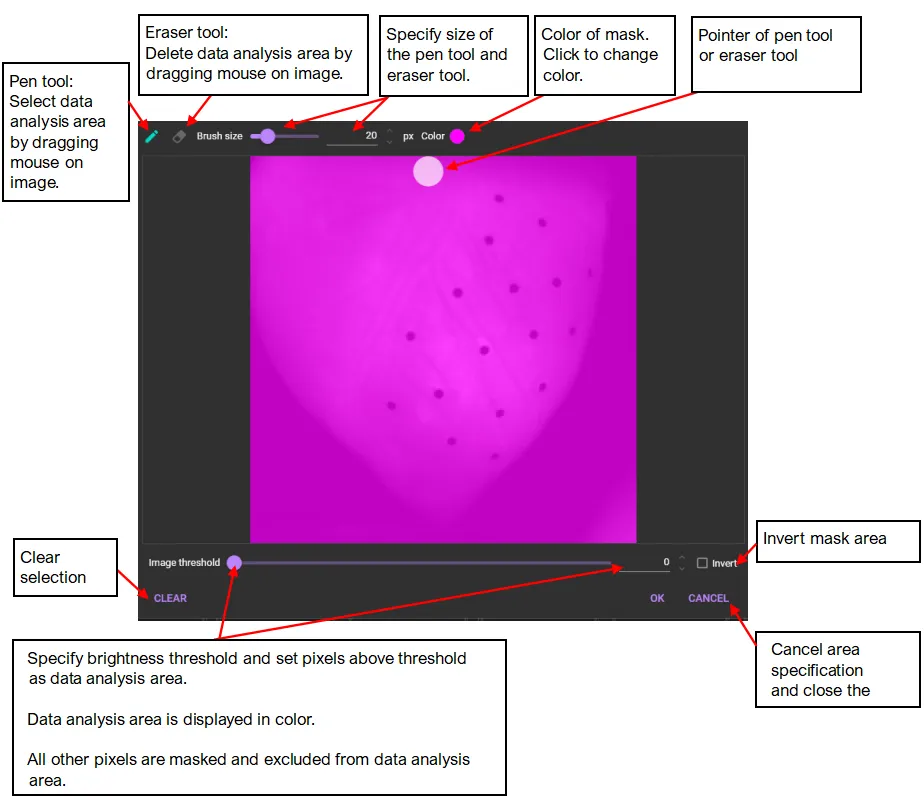
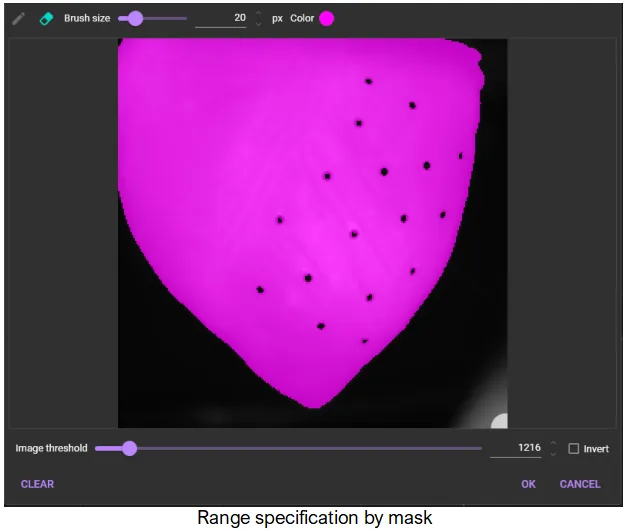
“Mask” is an area to be used for data analysis by specifying a threshold for image brightness.
Add mask
To use “Mask”, click  and select “Add mask”.

The following dialog will appear. Specify the threshold for image intensity and specify the data analysis range. The data analysis range is displayed in pink.
Edit mask
Edit the specified mask. This menu becomes selectable only when a mask name is specified from the [Image mask] list box on the right.
The same screen as when [Add mask] is selected appears.

Delete mask
Delete the specified mask. This menu becomes selectable only when a mask name is specified from the [Image mask] list box on the right.
